Walmart makes it easy for brand owners to quickly protect their intellectual property on Walmart.com. In this guide, you’ll learn how to use the Walmart Brand Portal to register and manage your various brands, as well as connect your supplier and Marketplace Brand Portal accounts.
Register your brand
Step 1 – Get started
Navigate to the Brand Portal if you meet the eligibility requirements, and register using your existing Seller Center credentials. Confirm your business information and select Continue.
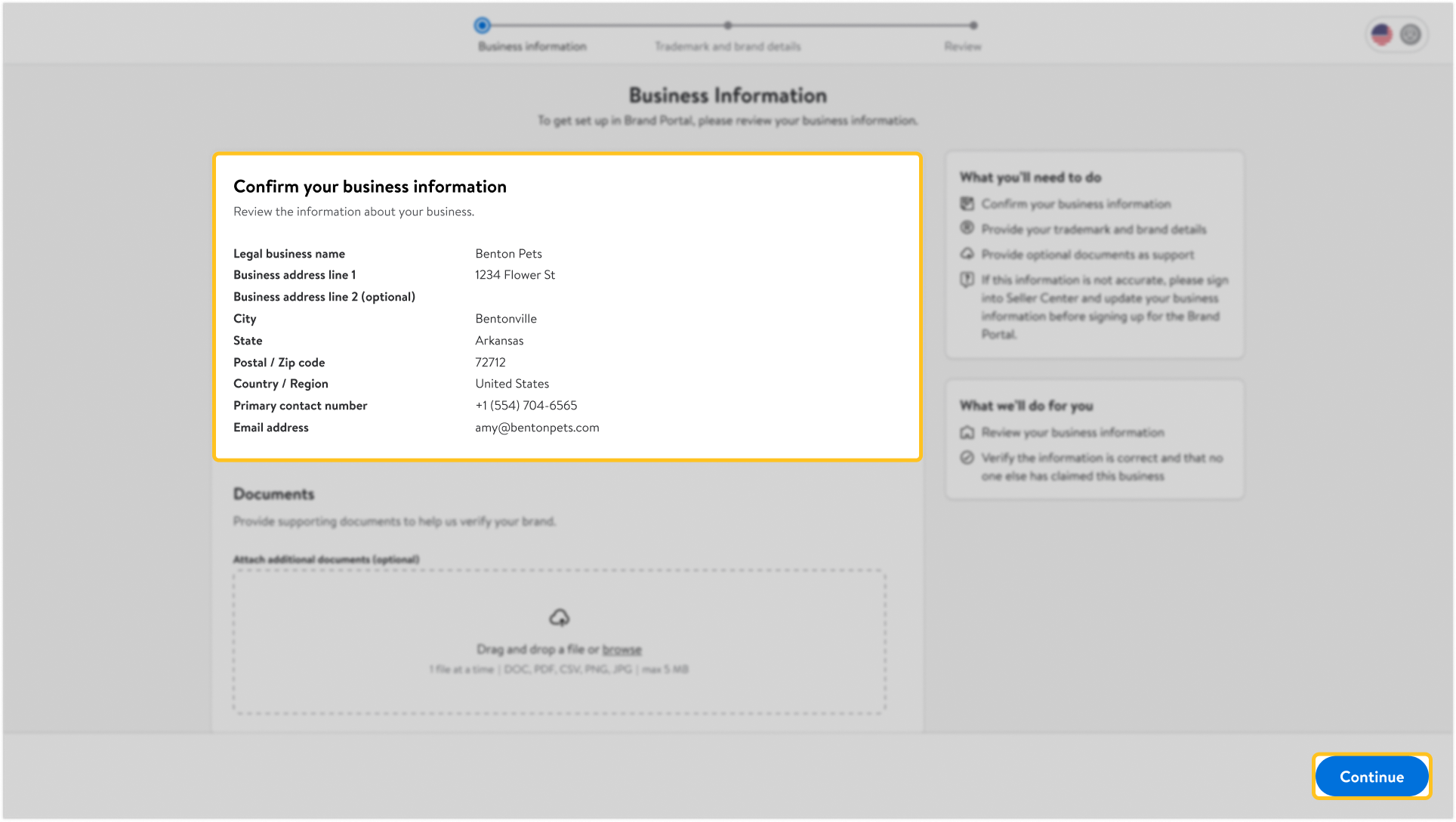
If you’re a Walmart Drop Ship Vendor (DSV) or Warehouse supplier with a Supplier One account, log in to Seller Center using the same credentials and follow the prompts to connect your Brand Portal accounts.
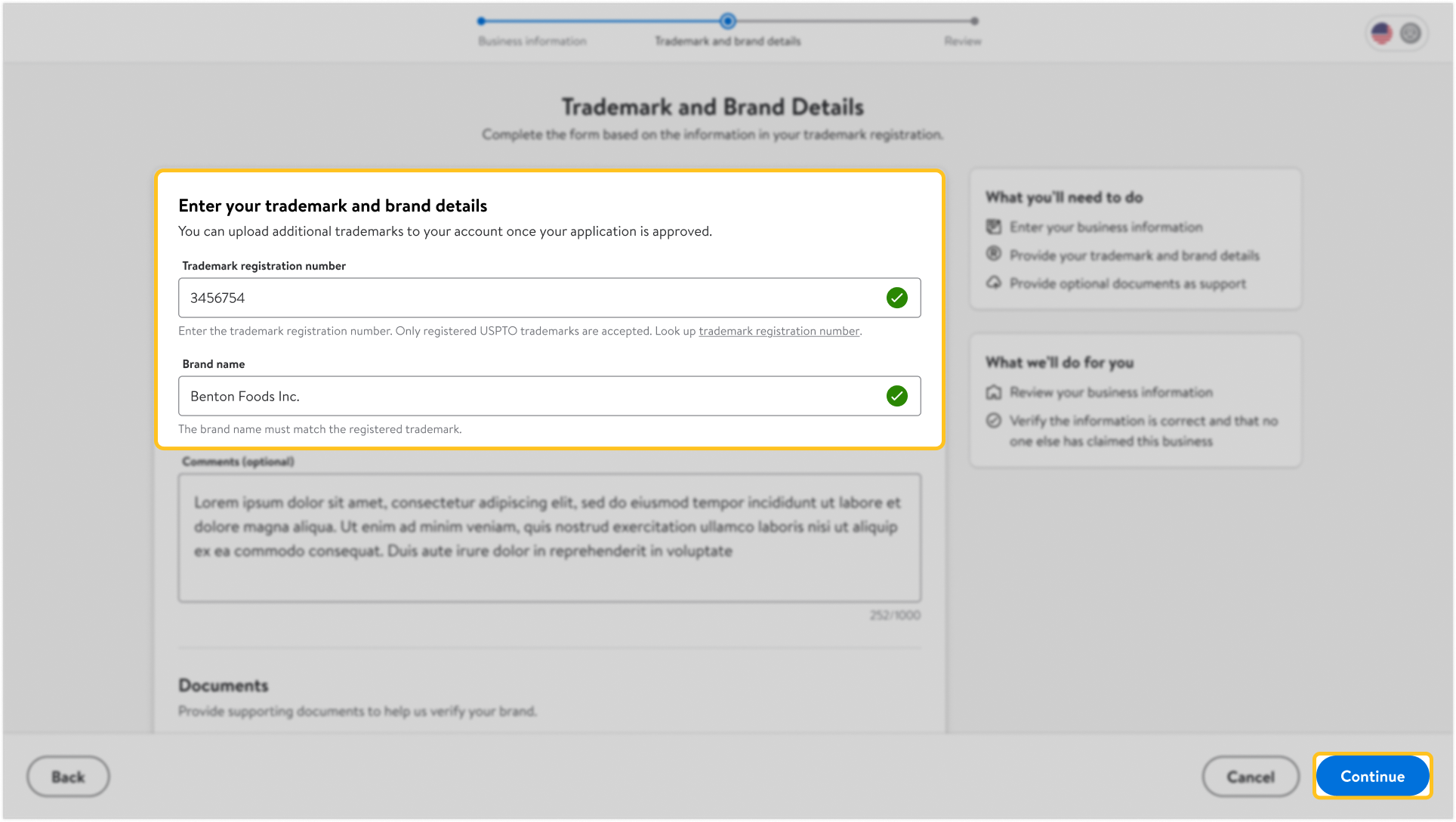
Step 2 – Provide your trademark and brand details
Enter the required information, including Trademark registration number and Brand name. The information must be consistent with what’s listed on your trademark registration. Then select the checkbox next to I have read and agree to the Terms of Use, and select Continue.
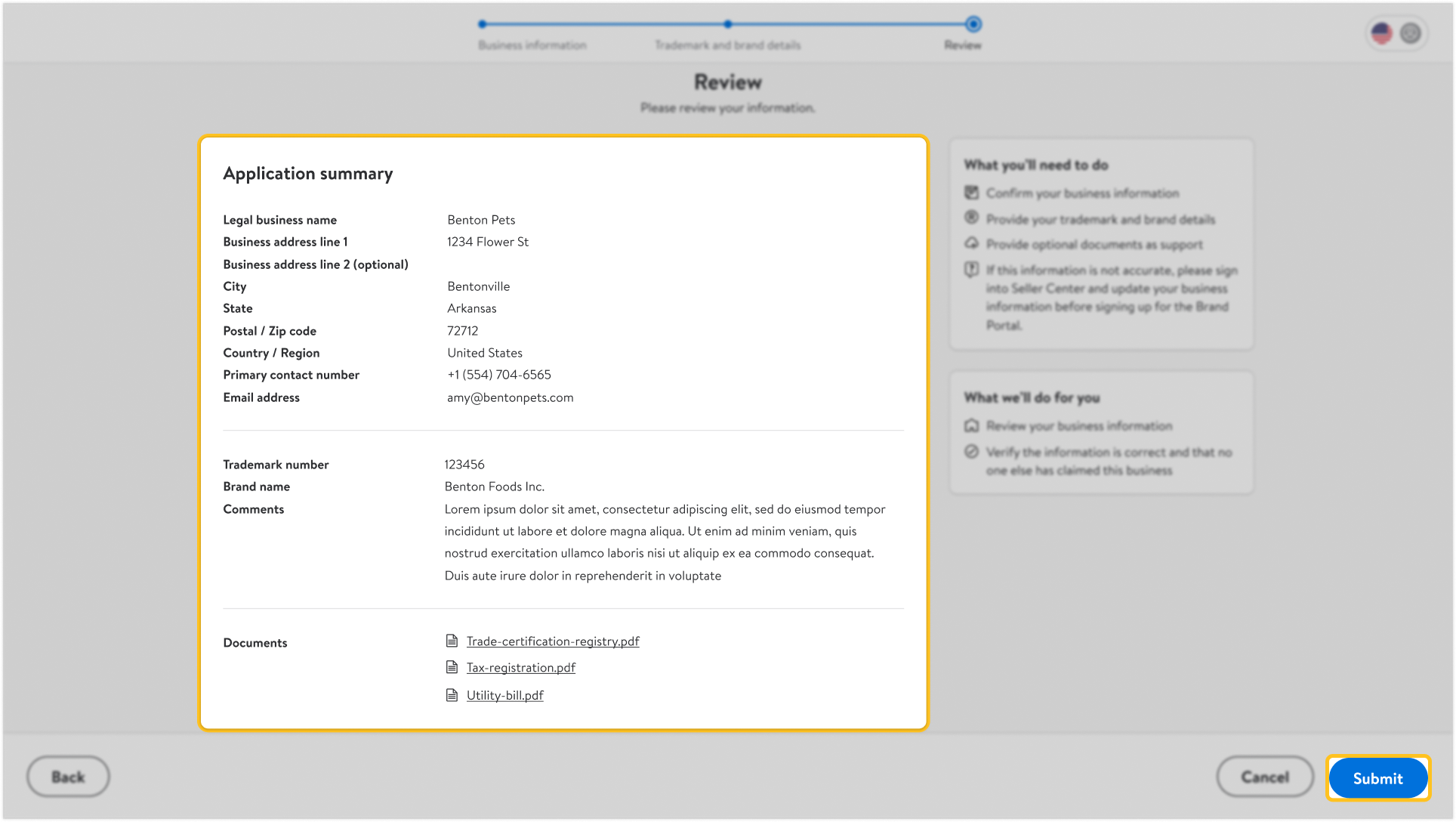
Step 3 – Review and submit
Confirm that the information you’ve provided is accurate, and select Submit. Walmart will review your application. You can check the status of your application at any time by logging in to your Brand Portal account.